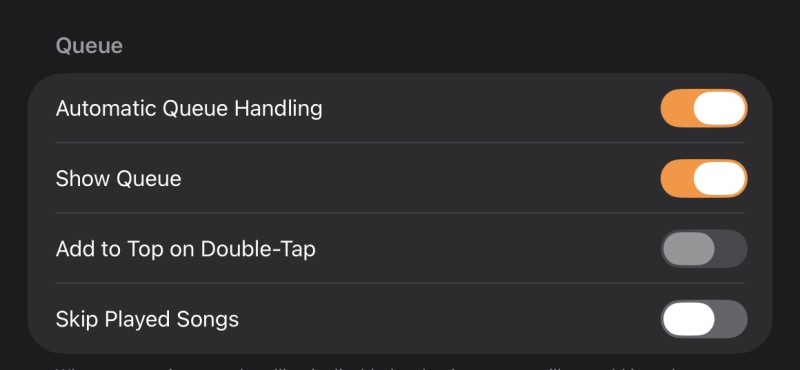
Kevtyler It’s crazy that you are not even trying lol.
For the sake of this discussion I will try to explain better.
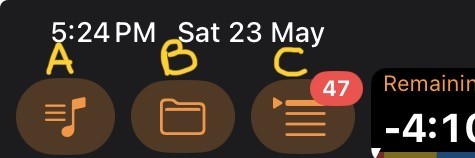
In the top left, you have 3 options.
A - Open the song list
B - Open the playlist
C - Open the queue
Now, open B “playlist”
Select your playlist
Select the first song
Open C “Queue”
You’ll see the playlist, with the added features of the queue correct.
Play the first song on the queue….
Now, let’s imagine that first song is the last song of the first set, just imagine that…
Open B…. You will open the CURRENT playlist…
Select the first song of your background music, I believe you call it “interval” or ANY Ssong, you don’t need to double click or anything, just select the song.
Now… Open C…and you will see, that the first song in the list, is the song that you are currently playing “the last song of the set”…. And the rest of the songs has been Re-Organized by the song you just selected… So the next song is the “interval”
You can do this at any point, any time, you can just re-order the queue the way you desire…
Please, try this before you say it cannot be done, because this can achieve what you need.
Yes, is not “long press” and select start queue from here… which I think it will take longer
(Scroll to desired song, select desire song, long press “min 2 sec”, select option to start there)
The other way, is 1 click, scroll, 1 click…. That’s it.
Ps: Crossover, is the function that Peter added, when you press it, it will fade out the current song, and fade in the next song, like mixing both songs per se…. So you can have the background music interval, and do the crossover and seamlessly start playing with no awkward silence lml. .lml